
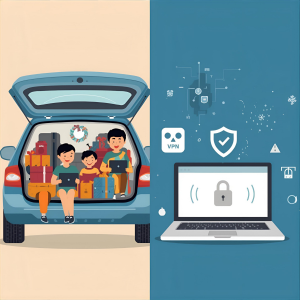
Okay, picture this. You're three hours into a five-hour drive to Grandma's house. The kids are restless. Your daughter hits you with the question: "Dad, can I play Roblox on your laptop?"
Your work laptop. The one with client files, financial records, and the keys to your entire business kingdom.
You're exhausted. You've still got three hours to go. And honestly? A quiet kid sounds really good right now.
I've been there. We've all been there. And here's the thing — holiday travel creates security holes you'd never tolerate in your normal routine. You're tired, distracted, hopping on random WiFi networks, and constantly doing that awkward dance of "just checking one quick work email" while the family waits.
So, let's talk about how to keep your data safe without becoming the Grinch who ruined everyone's vacation. 🤭
Before You Leave: 15 Minutes That Could Save You a LOT of Headaches
I'm a big believer in a little prep work. Trust me — spending 15 minutes before your trip beats spending 15 hours dealing with a breach after.
Device basics:
- Install all those security updates you've been ignoring (you know the ones)
- Back up your important files to the cloud
- Enable automatic screen lock — two minutes max, people!
- Turn on "Find My Device" on your phones and laptops
- Charge that portable power bank
- Pack your own charging cables and adapters
The family conversation:
- Be clear about which devices are fair game for the kids — and which are off-limits
- Set up a family tablet or secondary device for entertainment
- If the kids absolutely must use your laptop, create a separate user account for them
Pro tip: A $150 iPad is a lot cheaper than a data breach. Just saying. If your kids need screen time on the road, give them a device that's not connected to your work accounts. Problem solved!
Hotel WiFi: Yeah, Everyone's Doing It Wrong
So you check into the hotel. Within about 47 seconds, every device your family owns is connected to the WiFi. Phones, tablets, laptops, gaming systems... your teenager's already streaming Netflix, your spouse is checking email, and you're trying to squeeze in a quick review of tomorrow's proposal.
Here's the problem: that hotel network? It's shared by hundreds of guests. And not all of them are there for the continental breakfast, if you know what I mean.
Real scenario that actually happened: A family connected to what looked like their hotel's WiFi. Turns out it was a fake network set up by someone sitting in the parking lot. For two days, everything they did online — passwords, credit card numbers, emails — was being captured.
Yikes. 😬
How to not be that family:
- Verify the network name — Walk up to the front desk and ask for the exact WiFi name. Don't just pick the one that looks right.
- Use a VPN for work stuff — If you need to access work email or company files, a VPN encrypts your connection. It's worth it.
- Use your phone's hotspot for sensitive tasks — Banking? Client data? Anything confidential? Skip the hotel WiFi entirely and use your mobile data.
- Separate work and play — Kids streaming cartoons on hotel WiFi? That's fine. You accessing client information? Hotspot. Every time.
The "Can I Use Your Laptop?" Dilemma
Your work computer has access to everything. Email, bank accounts, client files, business systems — the works. And your kids want to watch YouTube, play games, or video chat with their friends.
Here's the thing about kids: they accidentally download stuff. They click on pop-ups. They share passwords with their buddies. They forget to log out. None of it is malicious — it's just being a kid! But on your work device? That's a security incident waiting to happen.
The solution:
Just say no. "This is my work computer, but you can use [the family tablet/your phone/the hotel TV]." Stick to it. Be consistent.
If you absolutely, positively MUST share your work device:
- Create a separate user account with restricted permissions
- Supervise what they're doing
- No downloads. Period.
- Don't save their passwords on your device
- Clear the browsing history when they're done
Better option: Bring a dedicated family device. Even an older tablet or laptop that's not connected to your work accounts works great.
Streaming on Hotel TVs: The "Oops, I Forgot to Log Out" Problem
Your family wants to watch a movie. Someone logs into Netflix on the hotel's smart TV. You check out the next morning and... completely forget to log out.
What happens next? The next guest has access to your Netflix account. And if you used the same password for other accounts (you didn't, right? Right?), they might try it elsewhere.
The fix:
- Use your own device and cast to the TV — that's the safer play
- If you DO log into the TV, set a phone reminder to log out before checkout
- Even better: Download shows to your devices before you travel and skip the hotel TV entirely
Never, ever log into these on a hotel TV:
- Banking apps
- Work accounts
- Social media
- Anything with payment info saved
Just... don't.
What To Do If a Device Goes Missing
Holiday travel is chaos. Devices get left in restaurants, hotel rooms, rental cars, airport security bins... it happens to the best of us.
If your device goes missing, here's your first-hour checklist:
- Use "Find My Device" to locate it
- Can't recover it quickly? Remotely lock it. NOW.
- Change passwords for critical accounts from another device
- Contact your IT person or MSP to revoke access to company systems
- If the device had sensitive business data, notify affected parties
What your device should have set up BEFORE you travel:
- Remote tracking enabled
- Strong password protection
- Automatic data encryption
- Remote wipe capability
Family member lost their device? Same rules apply. Lock it, change passwords, locate if possible.
The Rental Car Data Trap
Here's one people forget about! You connect your phone to the rental car's Bluetooth to play music or use navigation. The car stores your contacts, recent calls, and sometimes even text message previews.
When you return the car? That data often stays there for the next driver to find.
The 30-second fix before you return the car:
- Delete your phone from the car's Bluetooth settings
- Clear recent destinations from the GPS
- Or honestly? Just use an aux cable or don't connect at all
The "Working Vacation" Boundary Problem
Real talk: You promised this was family time. But you've checked your email 47 times, taken three "quick" work calls, and spent an hour on your laptop while everyone else played mini-golf.
Beyond the family tension (and trust me, they notice), constantly switching between work mode and vacation mode makes you less vigilant about security. You're distracted, rushing, and way more likely to click on something sketchy or connect to a network you shouldn't trust.
If you truly can't unplug, set clear boundaries:
- Check work email twice a day at specific times — and stick to it
- Use your phone's hotspot (not hotel WiFi) for work tasks
- Work in your hotel room, not public spaces where people can see your screen
- When you're with family, be with family — not half-working
The best security practice? Actually take time off. Your business won't collapse in a week. And you'll be way more alert to security threats when you're not running on fumes.
The Holiday Travel Security Mindset
Here's the reality: separating work and family during holiday travel is messy. Sometimes your kid really does need to use your laptop. Sometimes you really do need to check that urgent email while your spouse is driving. Life happens!
The goal isn't perfection — it's being intentional about risk:
- Prepare your devices before you leave
- Know which activities are risky (hotel WiFi for banking) vs. lower-risk (hotspot for email)
- Create barriers between work data and family activities when you can
- Have a plan if something goes wrong
- Know when to say "Not on this device" — and actually mean it
Make This Holiday Memorable for the RIGHT Reasons
The holidays should be about time with the people you care about — not dealing with a data breach or explaining to clients why their information got compromised.
A little preparation and a few simple rules can protect your business without ruining anyone's vacation. Your family gets their holiday. Your business stays secure. Everyone wins!
Want help setting up travel security protocols for your team (and yourself)? [Book a free consultation with us!] We'll help you create practical policies that protect your business without making travel impossible.
[Schedule your free security consultation]
Because the best holiday memory really shouldn't be "Remember when Dad's laptop got hacked?"